Keep your family on the same page. Even the teenager.
Shared lists, a real calendar, and “who’s actually home for dinner” check-ins. One app, zero group-chat chaos.
Free forever · iOS & Android · Works even when your kids don’t
$0
for the Free plan
no card, no catch
iOS + Android
one family, any phone
yes, even that one
14 days
of Plus, free to try
cancel before day 14, pay nothing
Made in Australia
by a family, for families
and proud of it
A family organiser app that does the lot.
Nothing it doesn’t.
Six tools, one app, shared between the people who share a fridge.
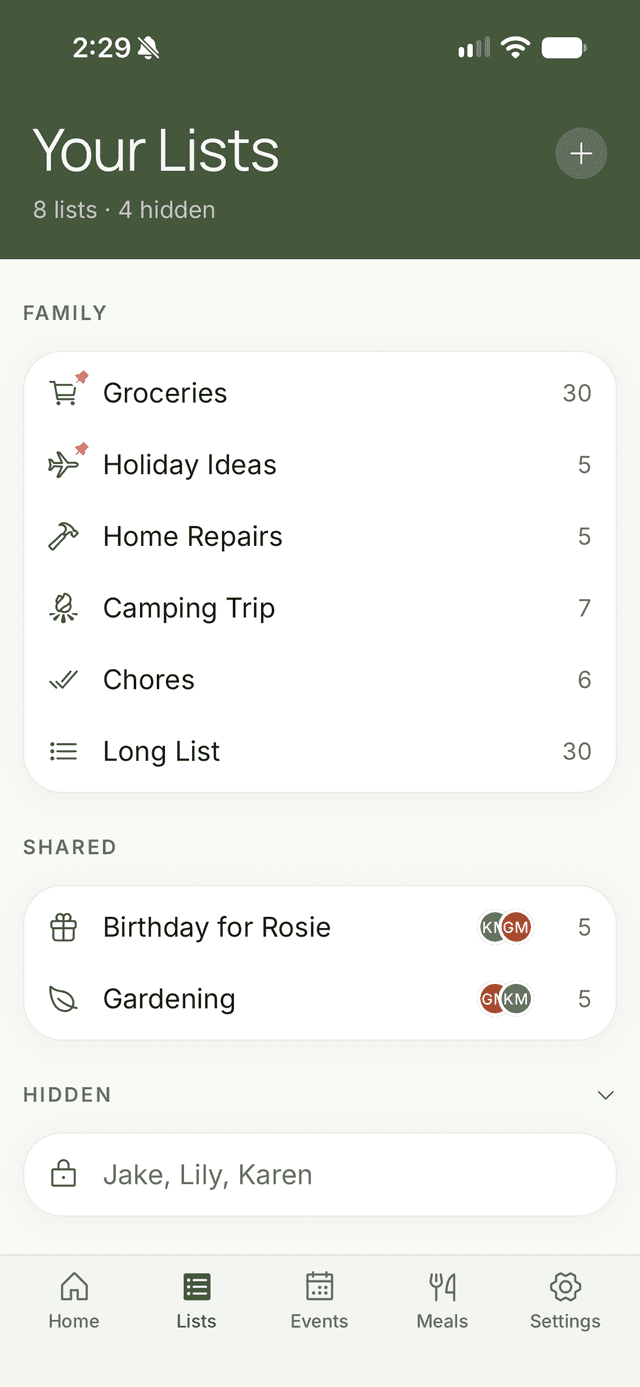
Shared Lists
Finally, a list that isn’t lost in a WhatsApp thread between three people and a passive-aggressive GIF.
More about shared listsFamily Calendar
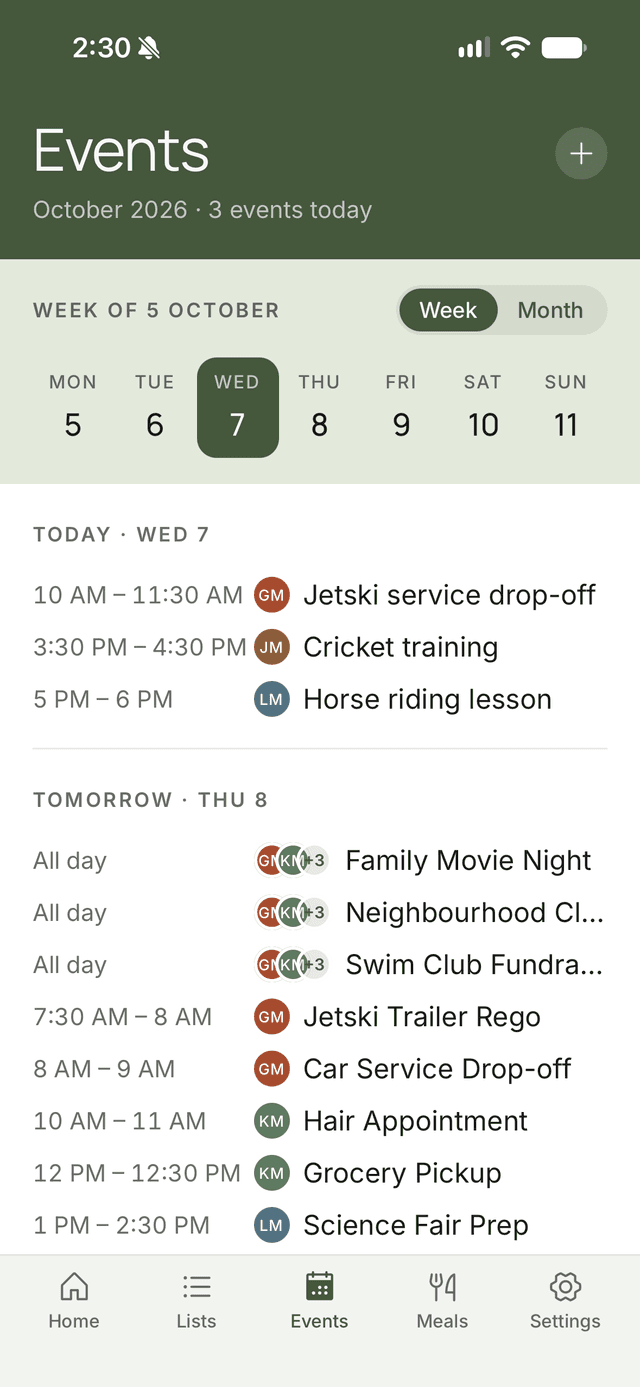
The calendar has ONE job. It does it. Colour-coded so you can tell the teen’s detention from the toddler’s swim class.
More about family calendarMeal Check-In
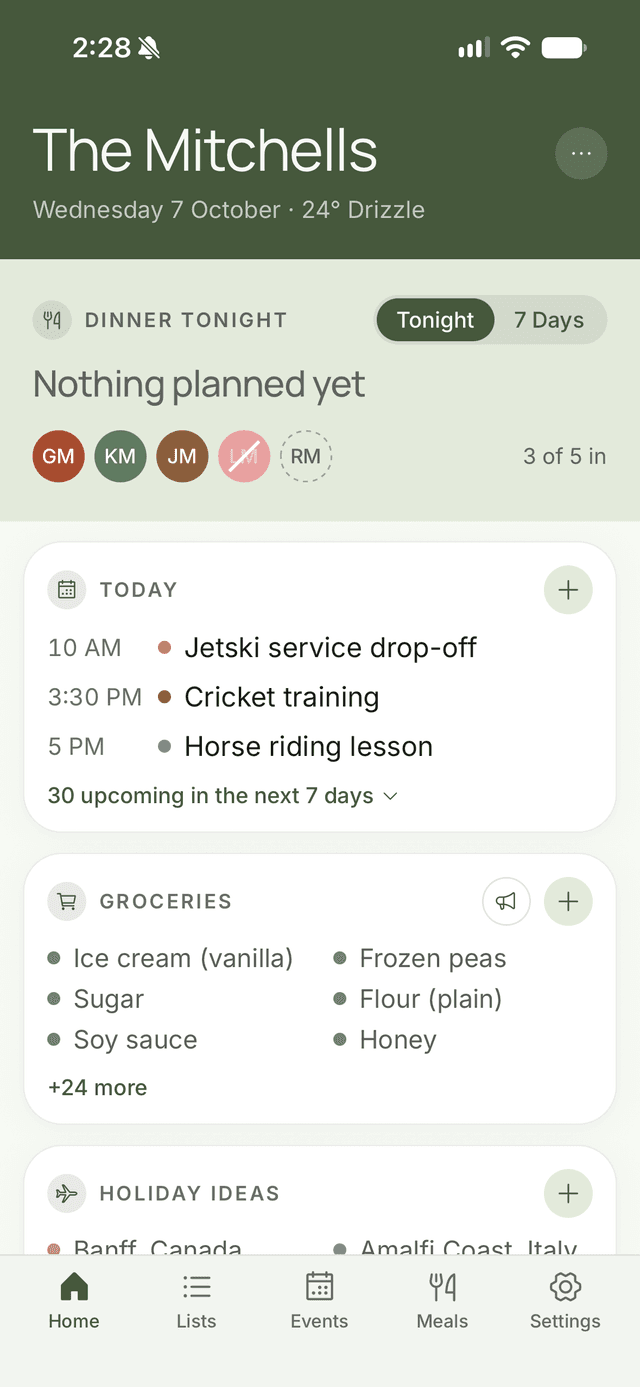
Five taps reveal the truth: four people are home, one is ‘at a friend’s,’ and you’ve been making six portions for months.
More about meal check-inMeal Planning
Meal plan the week. Delegate the cook. Generate a grocery list. Feel briefly like a functional adult.
More about meal planningRecipes
Store the recipes the kids will actually eat. AI invents new ones that, brace yourself, also include vegetables.
More about recipesReal-Time Sync
Changes sync in real time, which is useful because memory does not.
The button that saves the leftover chicken.
Green check: eating. Question mark: “depends.” Orange cross: “already had McDonald’s.” You cook accordingly and feel vindicated.
- One tap per person, per night. That’s it.
- Set your usual week once and it fills itself in every Sunday.
- Plan the meal, pick the cook, send the ingredients to the list.
The Family
Dinner check-in · This week
Three steps. Actually three.
Create your family
Pick a name. Upload a chaotic photo. Done in under a minute.
Invite your people
Share a code. The teenager may still claim they ‘didn’t get it.’
Stay in sync
Add a list, an event, a dinner. Watch your household achieve object permanence.
Straight from the App Store
Real reviews from real (mostly organised) families
How many am I feeding tonight?
“With a large family this app has been a game changer. I was struggling to know who was home for dinner each night with very social young adult kids. … This app has helped bring it all together with how many people to cater for.”
Better than expected!
“…the uptake with the fam meant meal planning quickly became more attuned to preferences and schedules. I now have less leftovers and wastage, and better use of my time and money.”
Great app
“This app has taken all the stress out of our weekly family planning. I highly recommend!”
Priced less than one forgotten grocery run.
Free forever for the basics. Upgrade when your family reaches Chaotic-Normal.
| Feature | Free$0 | Plus$2.99/mo |
|---|---|---|
| Shared lists | 3 | 50 |
| Items per list | 20 | 200 |
| Events / month | 20 | 500 |
| Family members | 4 | 10 |
| AI recipes / monthIncl. image scanning | 5 | 100 |
| AI grocery sorts / day | 2 | 10 |
| Voice adds / daySpeak items onto a list | 10 | 50 |
| Who's here for dinner? | Included | Included |
| Push notifications | Not included | Included |
Everyone in the family shares one plan — upgrading unlocks Plus for your whole household, not just the person who paid.
$2.99/month after the 14-day free trial. Cancel anytime in the App Store or Google Play · Terms · Privacy
Questions, reasonably asked.
Yes. The Free plan costs nothing and needs no card. It covers 3 shared lists, 20 calendar events a month, 4 family members, the dinner check-in and 5 AI recipes a month. When your family outgrows that, Plus is $2.99 a month, and you can try it free for 14 days.
No. One Plus subscription covers the whole family, up to 10 members. Nobody else has to buy anything.
Yes. FamFam is on the App Store and Google Play, and changes sync between phones in real time, so a mixed iPhone and Android household works just fine.
Create your family, then share the six-character invite code. Everyone downloads FamFam, enters the code and they're in. Organisers can make a new code at any time, and the old one stops working straight away.
Your lists, meals and plans are only shared with the members of your family. Data is encrypted in transit and we never sell your personal information. Our privacy policy has the details.
More questions? Read the full FAQ
Stop being your family’s unpaid project manager.
Download FamFam. Free forever for the parts that matter.